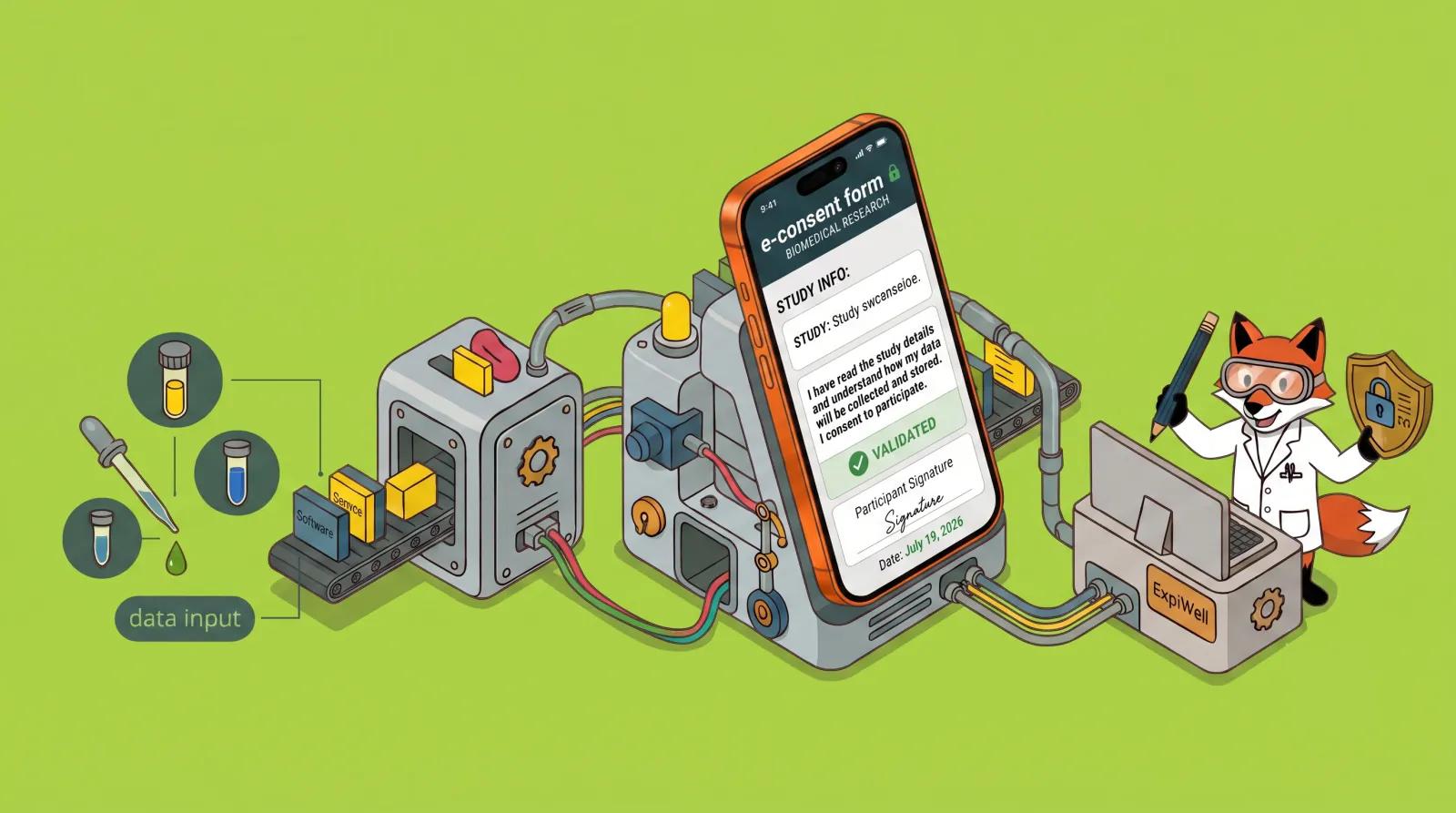
Choosing the Best HIPAA-Compliant Form Builder in 2026

Choosing the right tools for healthcare data collection is more than just a matter of convenience; it's a matter of federal law. If you are a healthcare provider, researcher, or digital health innovator, you know that the "wrong" form builder can lead to costly data breaches and significant legal penalties.
In this guide, we'll explore the fundamentals of HIPAA, what to look for in a compliant form builder, and why ExpiWell stands out as the premier choice for professionals who need more than just a static survey.
What is HIPAA?
The Health Insurance Portability and Accountability Act (HIPAA) is a US federal law enacted in 1996 designed to protect sensitive patient health information from being disclosed without the patient's consent or knowledge.
It applies to "Covered Entities" (like doctors, hospitals, and health insurers) and their "Business Associates" (third-party vendors, like form builders, that handle patient data). HIPAA is built on three main pillars:
- The Privacy Rule: Sets standards for when Protected Health Information (PHI) can be used or shared.
- The Security Rule: Sets the technical, physical, and administrative standards for protecting electronic PHI (ePHI).
- The Breach Notification Rule: Requires entities to notify patients and the government if a data breach occurs.
What is a HIPAA-Compliant Form Builder?
A HIPAA-compliant form builder is a digital tool that allows you to create, distribute, and store electronic forms while meeting the strict security requirements of the HIPAA Security Rule.
Unlike standard form builders (which may store data in plain text or lack strict access logs), a compliant builder ensures that every piece of data—from a patient's name to their lab results—is encrypted and shielded from unauthorized eyes. To be truly compliant, the provider must be willing to sign a Business Associate Agreement (BAA).
Who is Permitted (and Required) to Use HIPAA-Compliant Form Builders?
Under federal law, anyone who handles Protected Health Information (PHI) is not only permitted but legally required to use HIPAA-compliant tools. These entities generally fall into three categories:
- Covered Entities: This includes healthcare providers (doctors, dentists, therapists), health plans (insurers, HMOs), and healthcare clearinghouses.
- Business Associates: Any third-party organization that performs functions on behalf of a covered entity involving PHI. This includes medical researchers, digital health innovators, and medical billing companies.
- Emerging Use Cases: Wellness coaches, HR departments managing employee health records, and educational institutions tracking student immunizations also fall into the "permitted and advised" zone for HIPAA compliance.
The Bare Minimum: What Makes a Form Builder "HIPAA-Compliant"?
Before looking at fancy features, a builder must meet these absolute legal minimums. If a vendor cannot check all of these boxes, they are not HIPAA-compliant.
1. The Administrative Minimum: The BAA
The most critical requirement is a Business Associate Agreement (BAA). This is a legal contract where the vendor officially agrees to follow HIPAA regulations and shares responsibility for protecting your data. No BAA = No Compliance.
2. Technical Safeguards
- End-to-End Encryption: Data must be encrypted using TLS 1.2+ while moving (In Transit) and AES-256 bit encryption while stored (At Rest).
- Unique User IDs & MFA: Every staff member must have their own login, and Multi-Factor Authentication is now a standard requirement to prevent unauthorized access.
- Automatic Logoff: Systems must automatically sign users out after a period of inactivity to prevent data exposure on unattended screens.
3. Accountability & Integrity
- Audit Trails: The platform must maintain logs of every person who viewed, edited, or exported data, including timestamps and IP addresses.
- Data Backups: Secure, encrypted off-site backups are required to ensure data can be recovered in the event of a disaster.
5 Components of a HIPAA-Compliant Form
To ensure your data collection process is legally sound, every form you deploy should include these five technical and administrative components:
- The Business Associate Agreement (BAA): This is a legal contract between you and the form provider. Without a signed BAA, the form is not HIPAA-compliant, regardless of its security features.
- End-to-End Encryption: Data must be protected using AES-256 bit encryption "at rest" (on the server) and TLS/SSL encryption "in transit" (while being sent).
- Granular Access Controls: Only authorized personnel should have access to the data. This includes Role-Based Access Control (RBAC) and Multi-Factor Authentication (MFA).
- Detailed Audit Trails: The platform must maintain logs of every person who viewed, edited, or exported data, including timestamps and IP addresses.
- Patient Authorization Language: The form itself must often include clear language explaining the patient's rights and how their data will be used (Notice of Privacy Practices).
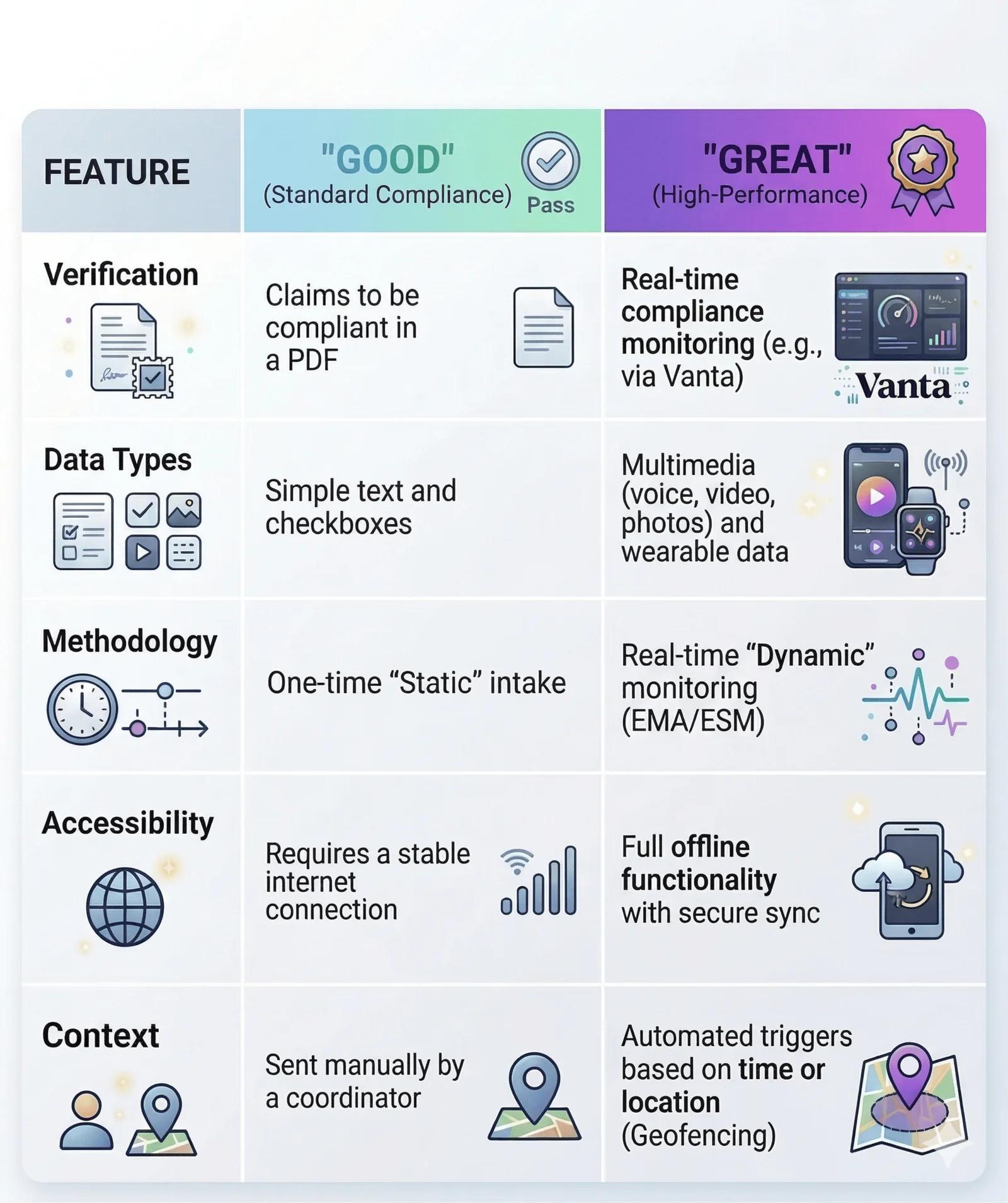
What Makes a Great HIPAA-Compliant Form Builder?
While many builders are "good" because they meet the minimum legal requirements, a great form builder goes beyond a checkbox. Here is what sets them apart:
5 Best HIPAA-Compliant Form Builders for 2026
1. ExpiWell
ExpiWell is the industry leader for healthcare providers and researchers who need more than just a digital version of a paper form. Specifically designed for high-stakes environments, it excels in Ecological Momentary Assessment (EMA), allowing you to track patient symptoms as they happen in the real world.
- Standout Feature: Real-time compliance verification via Vanta, providing a transparent "Trust Report" on their security posture.
- Best For: Clinical trials, longitudinal research, and real-time symptom monitoring.
2. JotForm (Healthcare Edition)
JotForm offers a robust "Healthcare" tier that includes a signed BAA and a massive library of pre-built medical templates.
- Best For: General medical practices that need quick, easy-to-build patient intake and consent forms.
3. Formstack
Formstack is an enterprise-grade solution that focuses on workflow automation. It is excellent for "routing" data—for example, sending a form submission automatically to an EMR or a specific department.
- Best For: Large hospital systems with complex administrative workflows.
4. Cognito Forms
Cognito Forms is a favorite for mid-sized clinics because it offers advanced features like document merging and conditional logic at a more accessible price point than many enterprise tools.
- Best For: Practices that need complex logic (if X, then show Y) without a high price tag.
5. FormDr
FormDr is built specifically for the patient onboarding experience. It focuses heavily on the "digital clipboard" aspect, making it very easy for patients to upload photos of insurance cards or sign documents on their phones.
- Best For: Specialized clinics (dentists, therapists) focused on streamlining the new-patient experience.
The Verdict: Why Settle for "Just a Form"?
If your goal is simply to collect a name and address, any of these builders will keep you legal. But if you want to truly understand the patient journey—tracking medication adherence, monitoring chronic pain, or conducting breakthrough research—you need a platform that is as dynamic as the people you serve.
ExpiWell provides the security of an enterprise-grade HIPAA solution with the advanced features of a world-class research platform.
Partner With Us
We have empowered thousands of researchers globally to conduct cutting-edge EMA studies across Psychology, Medical Science, Organizational Behavior, and Experience Sampling.
If you would like to learn how ExpiWell can elevate your next research, please get in touch. We can set up a personalized strategy call with one of our Research Strategists to discuss your specific data collection requirements.
Schedule a demo today or email us at sales@expiwell.com